Web UI
The WebUI allows you to easily run, manage and schedule scans and their results via an intuitive web interface.
Table of contents
Boot-up
To boot the Pro interface please run:
bin/apex_pro
After boot-up, you can visit the interface via your browser of choice.
Features
Scan management
- Quick scan. A one-input form in the navbar will scan any URL with sane defaults — useful for ad-hoc spot checks without leaving the current page.
- Parallel scans. Run multiple scans concurrently against the same site, different sites, or both — bounded only by configured worker capacity.
- Recurring scans. Re-scan the same target on a schedule and get an
automatic state diff of every entry compared to the previous revision:
- Fixed — entries that no longer appear.
- Regressions — fixed entries that re-appeared.
- New — first-time findings.
- Trusted / untrusted / reviewed / false-positive — manual triage states that carry forward across revisions.
- Scheduled scans. Either pick from preset frequencies (hourly, daily, weekly…) or paste a cron expression. The scheduler surfaces upcoming occurrences and flags conflicts (overlapping start times, parallelism ceiling) before they fire.
- Suspend / resume / repeat. Pause a long-running scan and resume from the same on-disk session later. One-click repeat re-runs a finished scan with the exact same configuration.
Live monitoring
- Real-time progress. Coverage, request rate, discovered pages and newly-found entries stream into the UI over Action Cable as the scan runs — no manual refresh.
- Live event-driven cache busts. Per-user dashboard / navbar caches invalidate the moment a model commits, so counts and badges stay truthful without polling.
- Scan, revision and site live views. Drill in at the level you need: whole-site activity, a specific scan or a single revision.
Findings & analysis
- DOM data-flow sinks. The signature feature: every entry is presented with the full source-to-sink data-flow trace through the rendered page, including the captured stack frames at each hop and the page snapshot inline.
- Sink inspector. Step through the sink chain hop-by-hop, expand any stack frame to its surrounding source, and pivot to the request / response that triggered the flow.
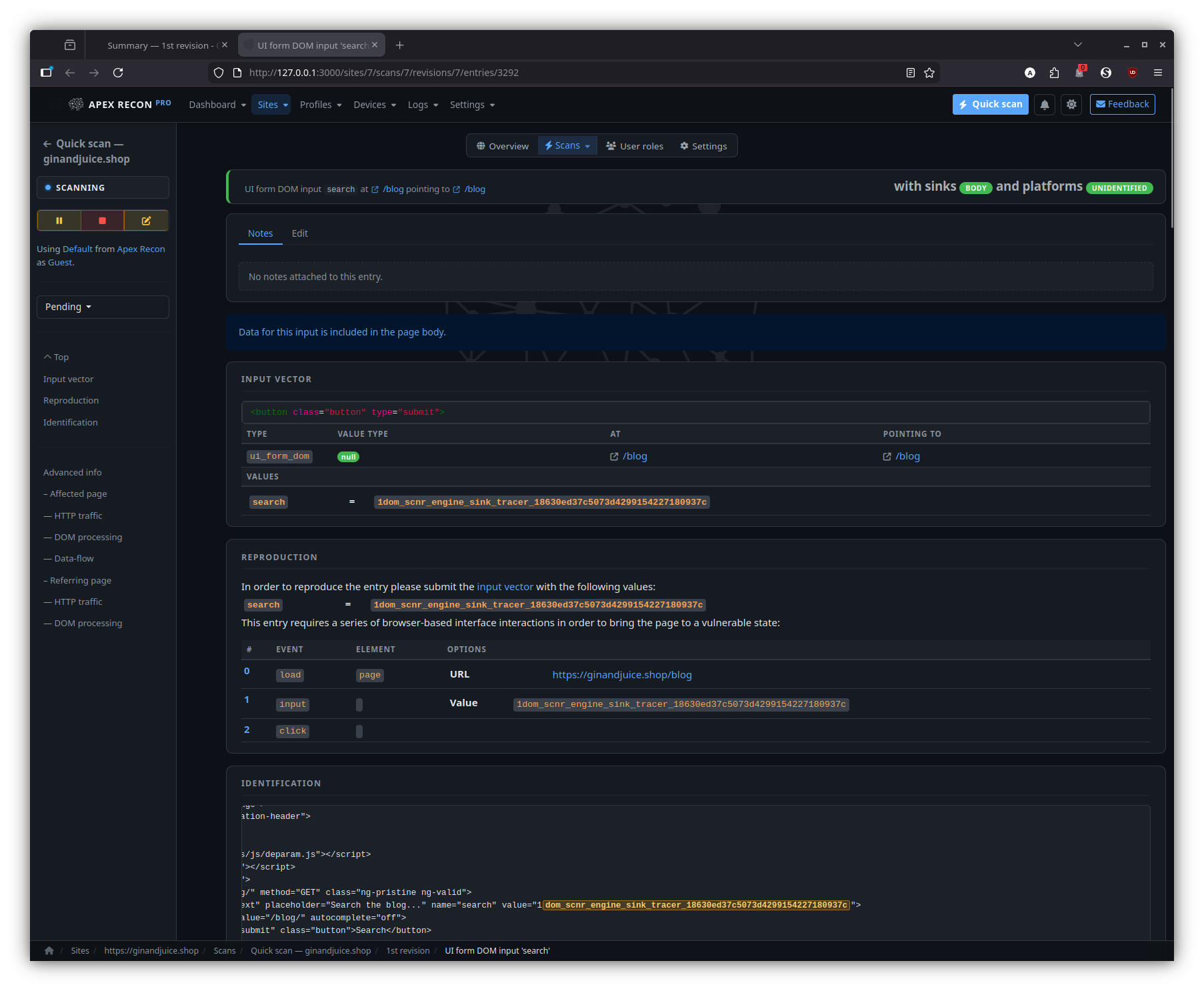
- Entry detail. Each finding shows the captured request / response, affected input vector, normalised proof and the live page state at the moment of capture.
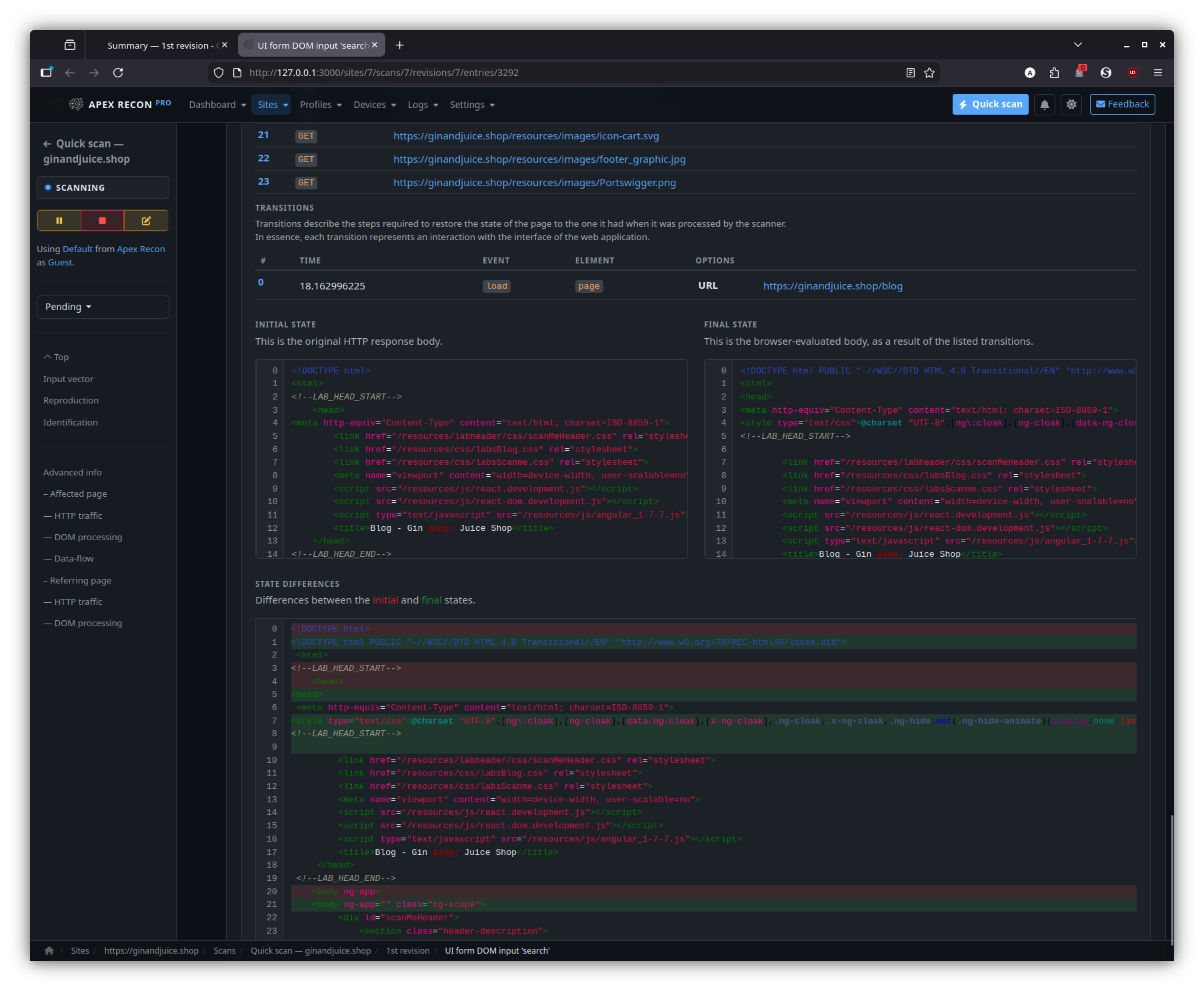
- State diff across revisions. When recurring scans review their results, every entry surfaces its trajectory across revisions — first-seen / last-seen / fixed / regression — at a glance.
- Coverage explorer. Every page the scanner reached, with HTTP status, content-type and a one-click jump to the entries attached to it.
- Powerful filtering. Stack state / type / scan / revision filters; narrow by site, by URL pattern, by sink kind; permalinks survive reload and live-refresh.
Configuration
- Scan profiles. Reusable bundles of checks, scope rules, audit options and plug-ins. Per-user, per-site or shared.
- Per-site overrides. Override profile scope rules at the site level without forking a whole profile.
- Device emulation. Scan as a desktop browser, mobile, tablet, or any custom user-agent / viewport / touch combination.
- Site user roles. Authenticate the scanner as one or more
application personas:
- Form login — declarative URL + form parameters.
- Script login — drop in Ruby with a prepared browser driver (Watir) or HTTP client.
- Each role gets its own captured session that persists across revisions.
Operations & audit
- Server / scanner / network health. Request rate, response times, browser-pool utilisation, error counts, queue depth — surfaced in charts that update live, both globally and per-revision.
- Full audit log. Every change to sites, scans, revisions, entries and user roles is captured (PaperTrail) with the actor, the diff and a click-through to the affected object — even after the object itself has been deleted.
- Resilient scheduler. SQLite writer-lock contention, autoloader races and transient RPC errors are handled internally; the UI stays responsive while two or more scans hammer the database.
Reporting & integrations
- Multi-format export. HTML, JSON, XML, plain-text and the application-native AER archive — at the scan, revision or filtered result-set level.
- Notifications. Per-event email / browser push for scan start / finish / failure / suspension.
Djin! — in-app AI assistant
- Side-dock chat on every page. A right-side panel (with full- page expand and a launcher button bottom-right) that uses your configured AI provider (OpenAI or Claude). Streamed replies via Action Cable; conversation history persists per-user.
- Page-aware grounding. Each turn carries the current
(controller, action, resource ids)so questions like “what’s this entry?” or “what did this revision pick up?” are answered against what you’re looking at, no need to spell it out. - Read tools. Djin! can call
list_sites/list_scans/list_revisions/list_entries, drill into a single record (fetch_entry,fetch_revision), free-textsearchacross sites / scans / entries (including entry type / vector source / page URL / DOM data-flow sink fields / stack-frame URLs / JS function names), pull the audit log (list_events), the crawled URL coverage (list_sitemap), profiles / devices / site-roles / notifications, and an operator-wide rollup (fetch_dashboard). Every query is scoped to the records you own — Djin! cannot see another operator’s data. - Navigation. “Take me there” works — Djin! resolves
navigate_to({ kind: 'entry', id: <digest> })or top-level destinations likedashboard,sites,logs,profiles,devices,settings,notificationsand the browser jumps there. - Approval-gated write actions. Djin! can also propose
mark_reviewed,clear_state,pause_scan/resume_scan/abort_scan/suspend_scan/restore_scan,start_scan,quick_scan,create_site_role, andmark_notifications_read. Every write tool surfaces an inline yellow card in the dock with the proposed args — nothing happens until you click Approve. Deny instead and Djin! sees the rejection reason and adjusts. - Audit trail. Approved Djin!-driven mutations are tagged
with
whodunnit = "djin:<your_id>"in the PaperTrail log, so the per-user activity feed distinguishes AI-driven actions from hand-driven ones. - Cancel & rate-limit. Stop a streaming reply mid-flight; a
configurable per-user daily token budget caps spend across
conversations (
0for unlimited, in Settings). - Privacy & opt-in. Disabled by default; flip on in Settings once your AI provider key is configured. The dock surfaces an empty “configure in Settings” hint instead of failing silently if the key isn’t set.
Quality of life
- Light & dark themes with a one-click toggle that persists across
sessions and respects
prefers-color-schemeon first visit. - Per-page UI state persistence. Section open/closed, collapsed details, table sort and filter selections are remembered per browser without server round-trips.
- Keyboard-friendly forms and focus-aware live-refresh: an open
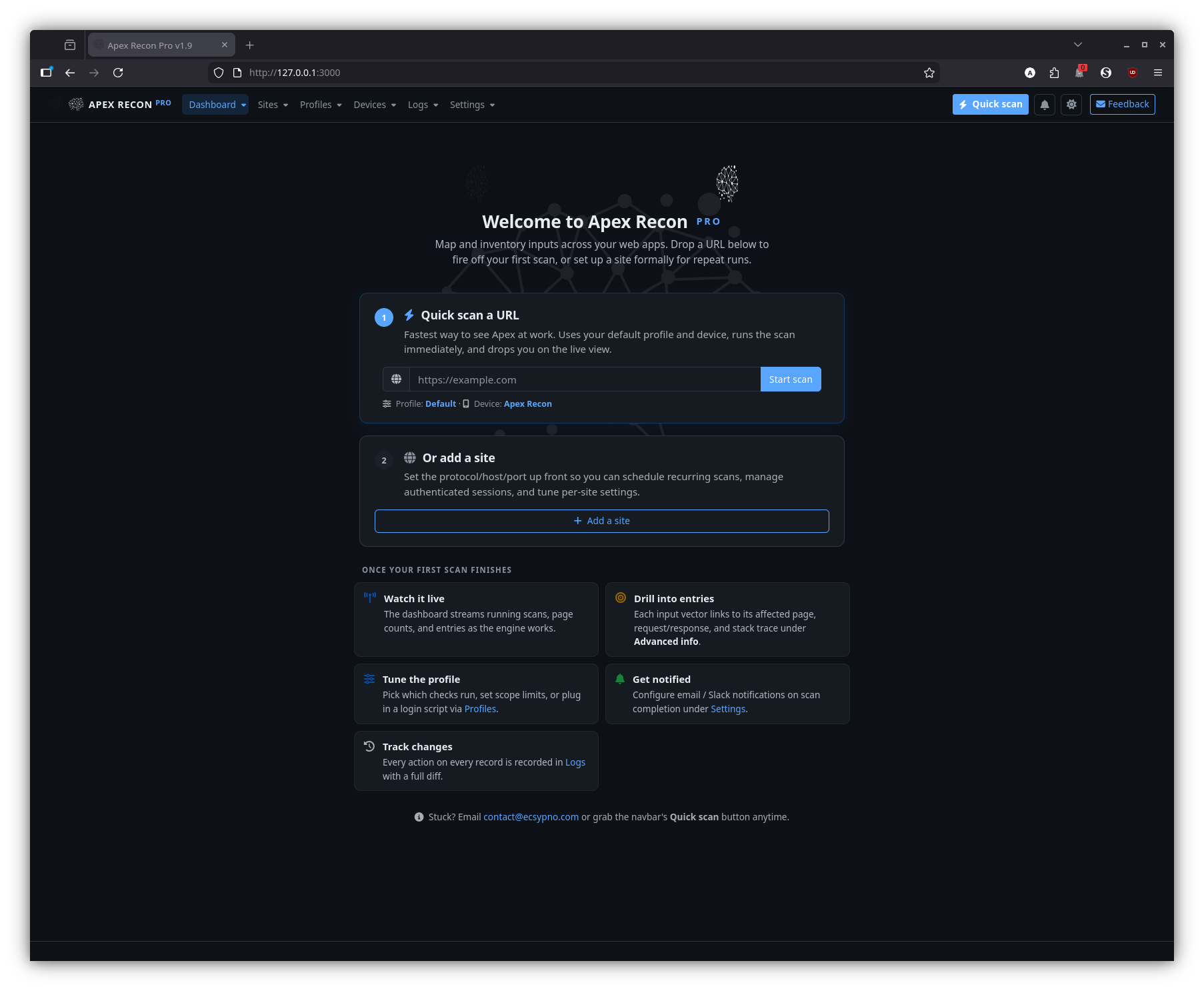
<select>or focused input is never swapped out from under you. - First-run welcome. A guided empty-state experience walks new installs from “no sites yet” to “scanning” without docs.
Screenshots
Welcome
The first-run experience: an empty-state landing page with a quick-scan form and a path to add your first site.
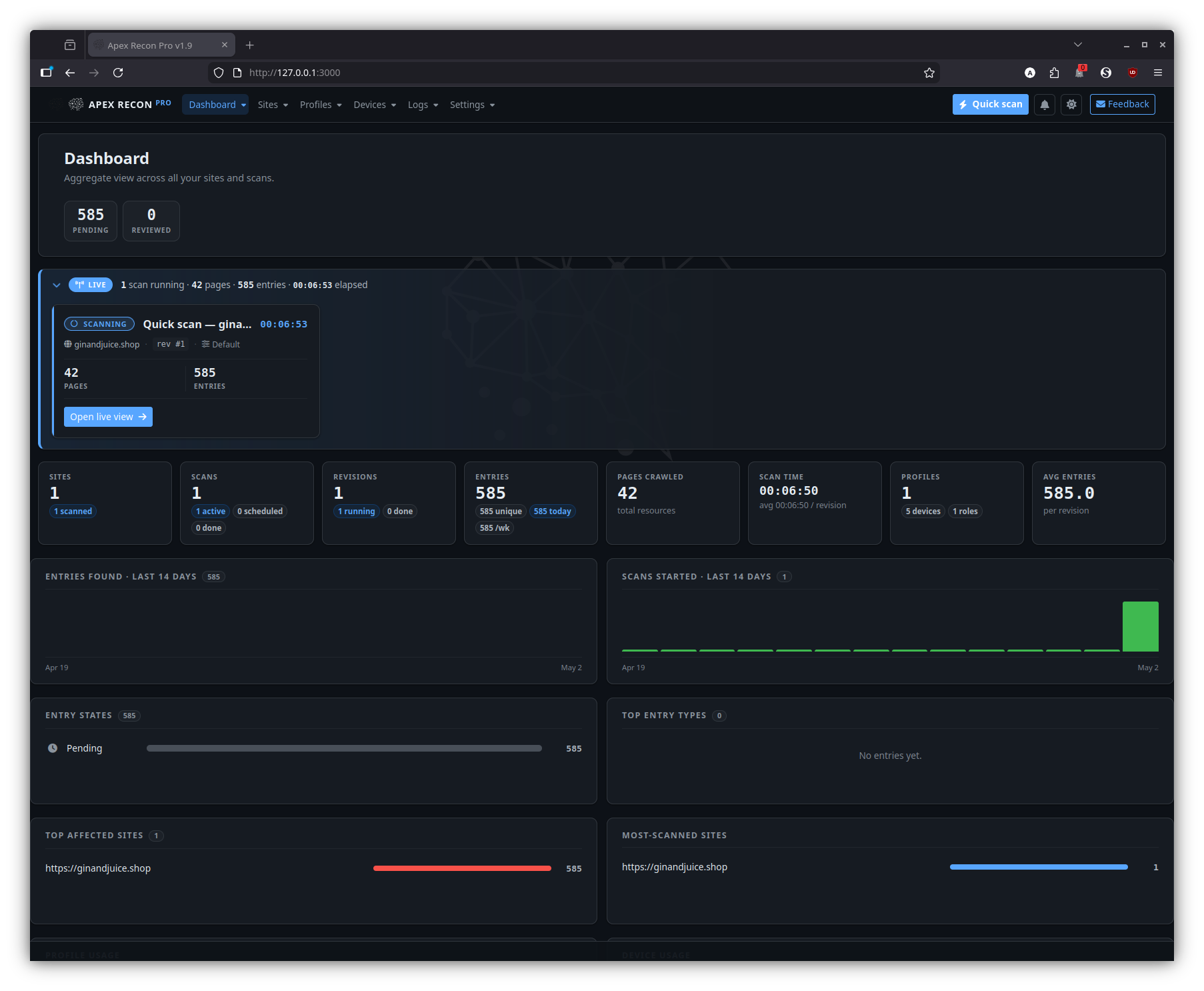
Dashboard
The home page once you have at least one site. It surfaces running scans, recent activity, aggregate counts and per-site health at a glance.
Sites
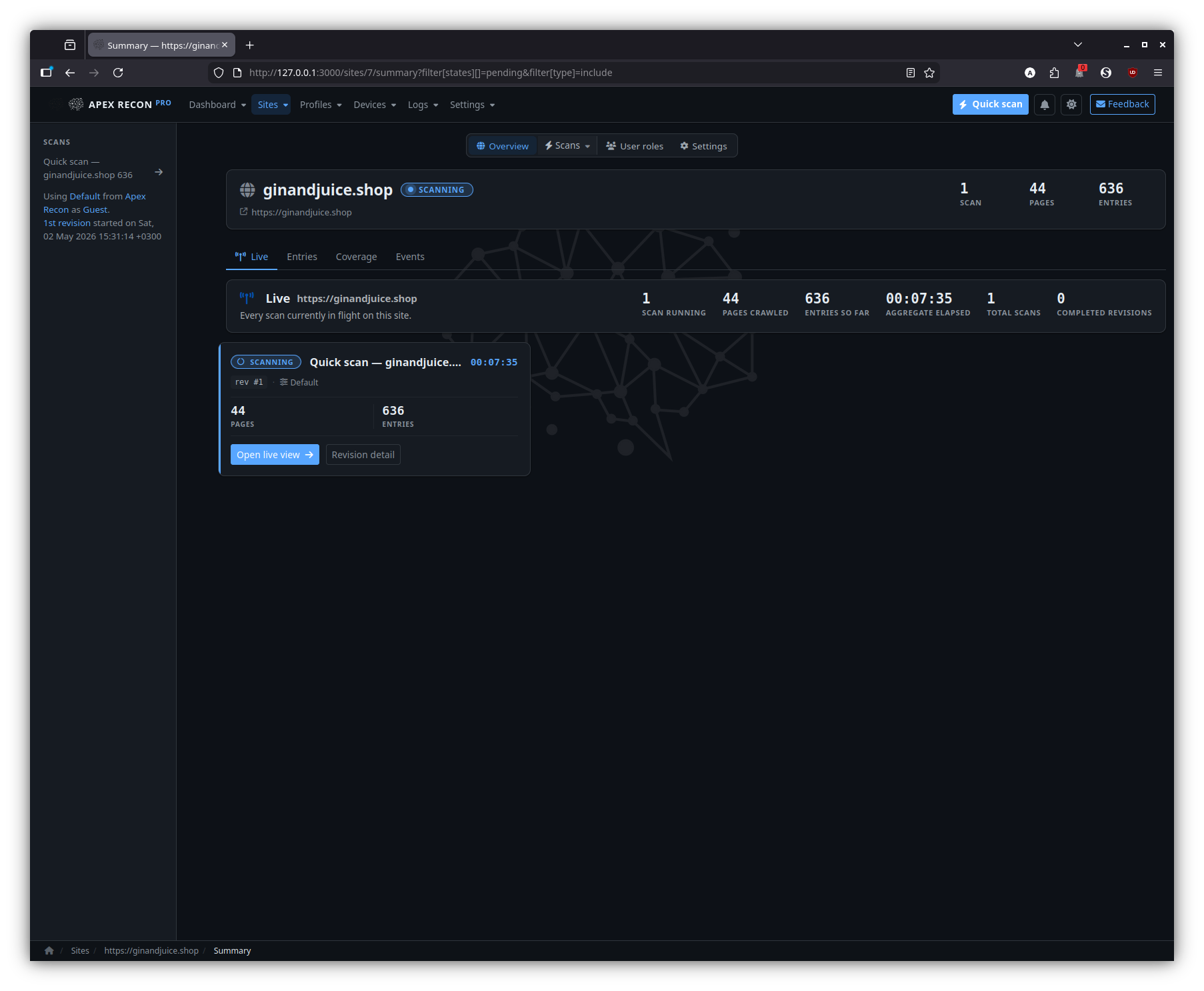
Site overview
The per-site landing page — a snapshot of recent revisions, entry totals and currently-running activity for that one site.
Scan
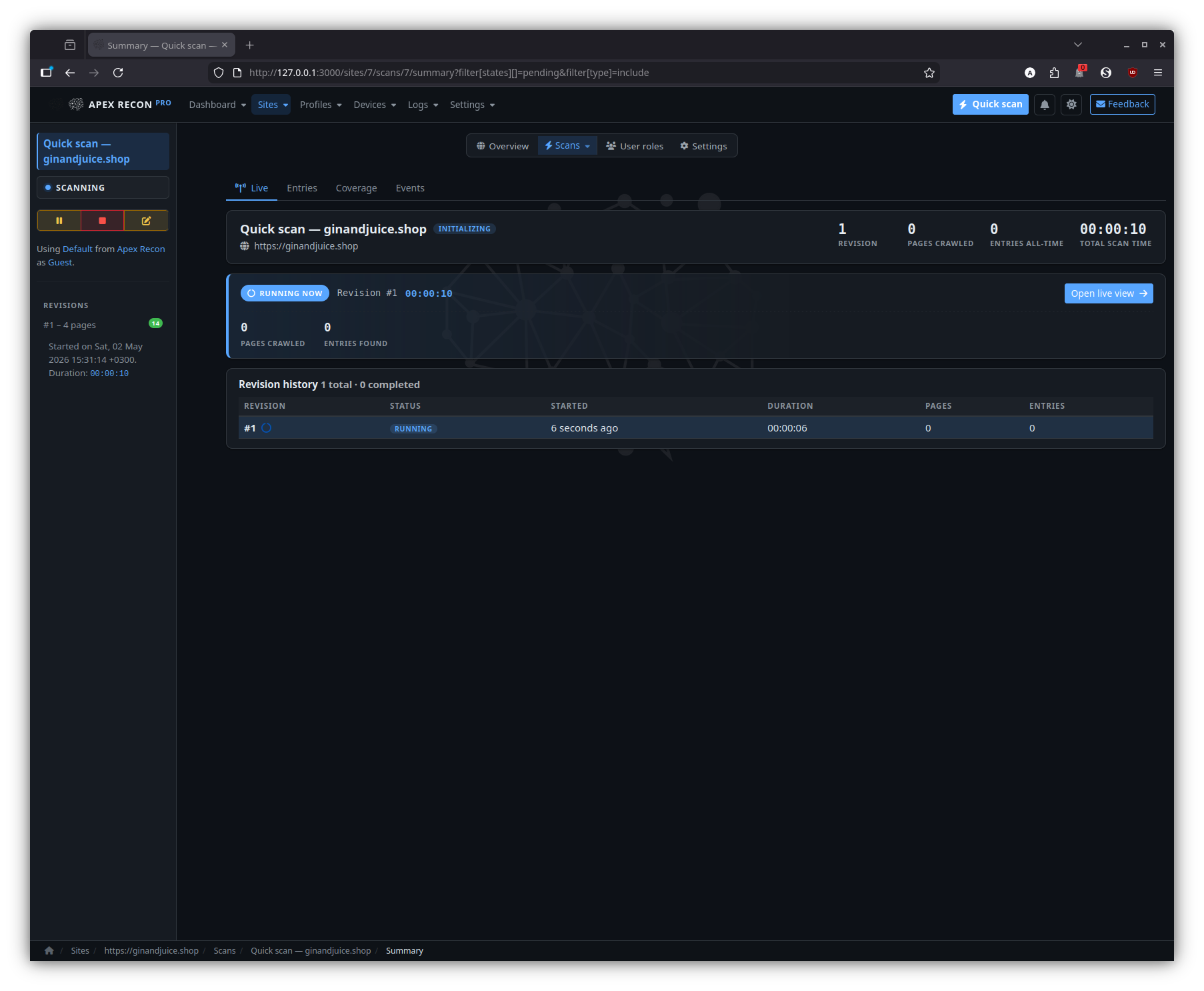
A specific scan inside a site, with its revision timeline, current status and a CTA into the live view.
Entries
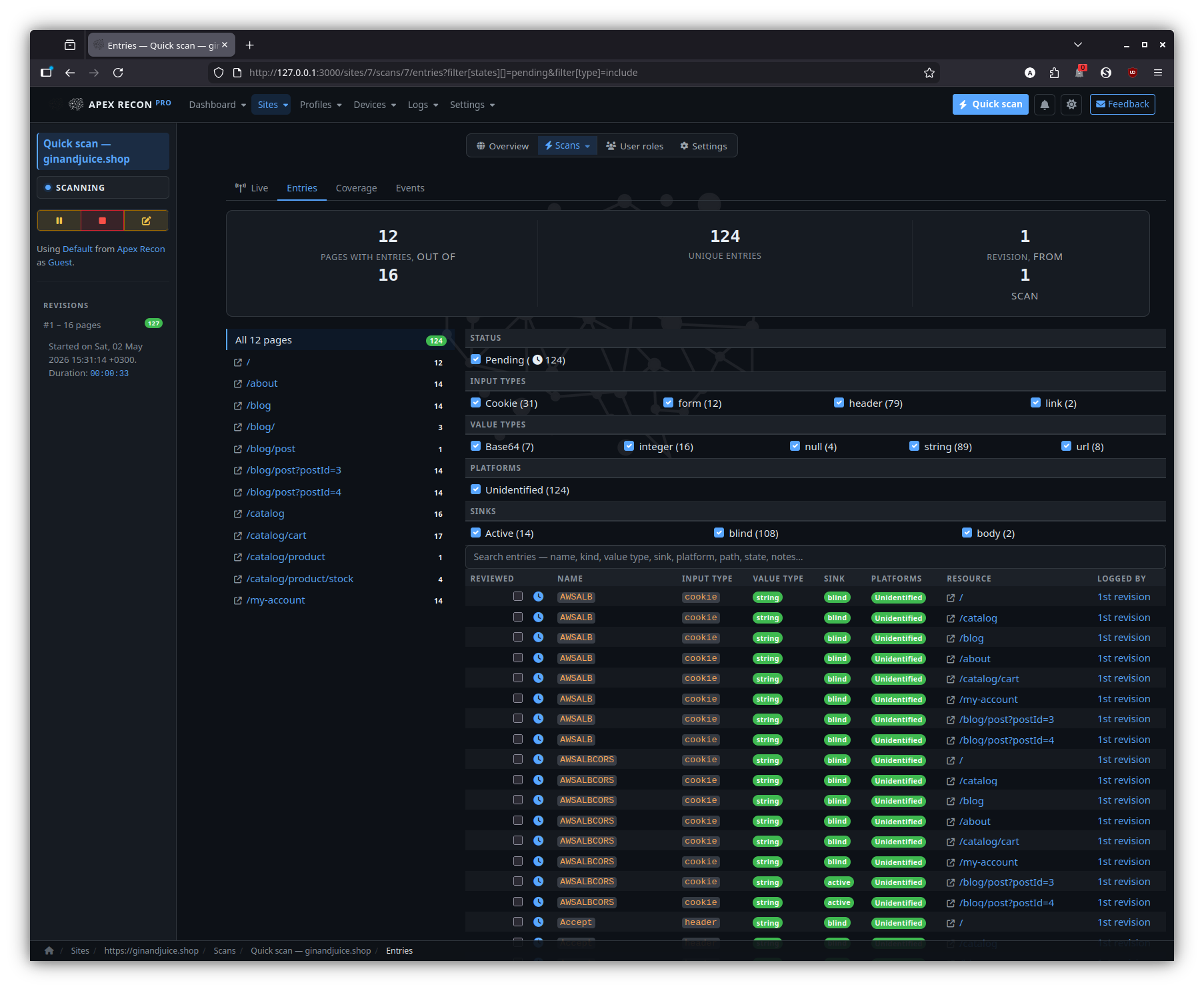
The entry listing for a site — every finding across every scan and revision, with state badges and click-through to detail.
Filtered
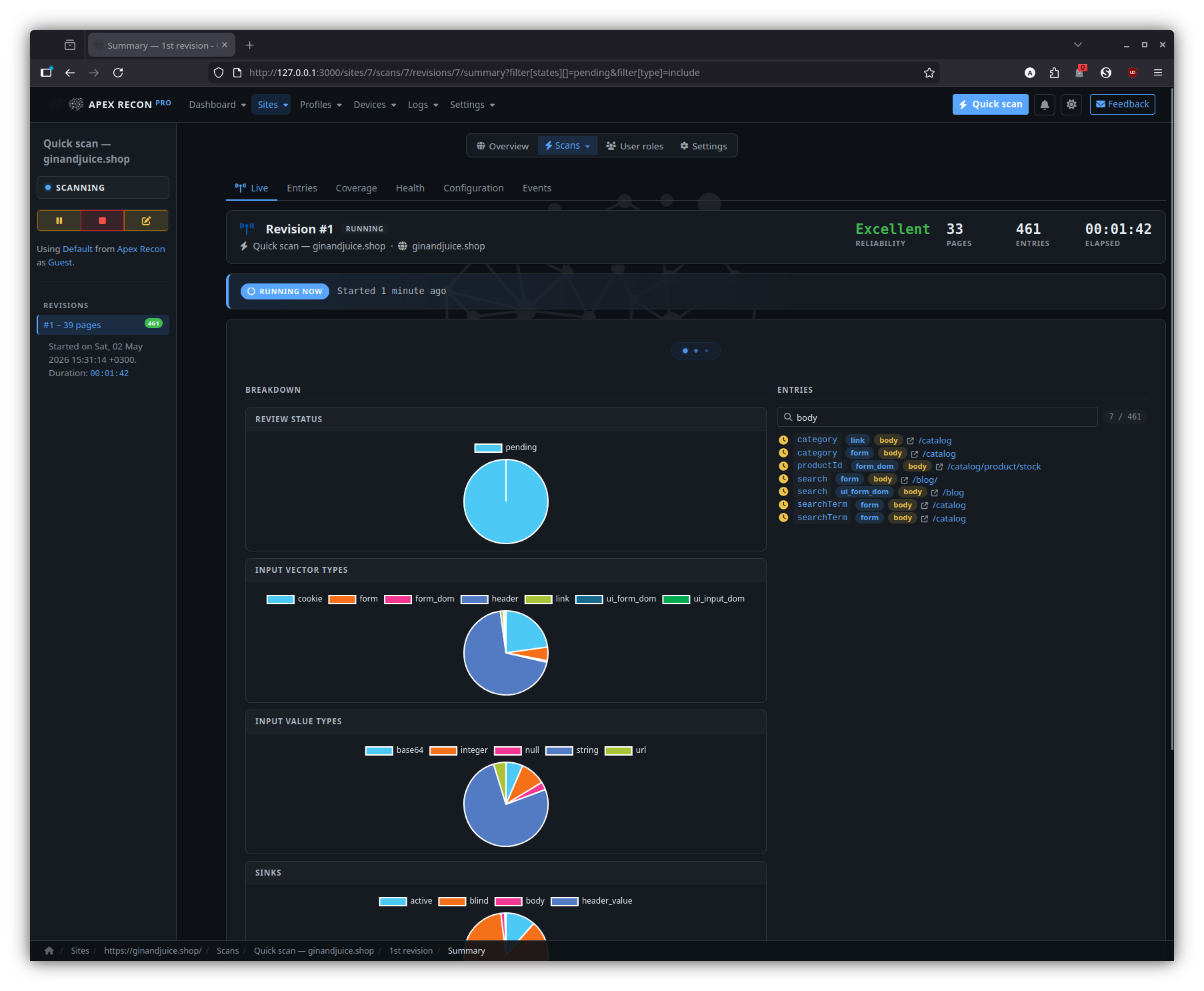
The same entry listing with state / type / URL filters applied; filters live in the URL so the view is shareable.
Revisions
Entries
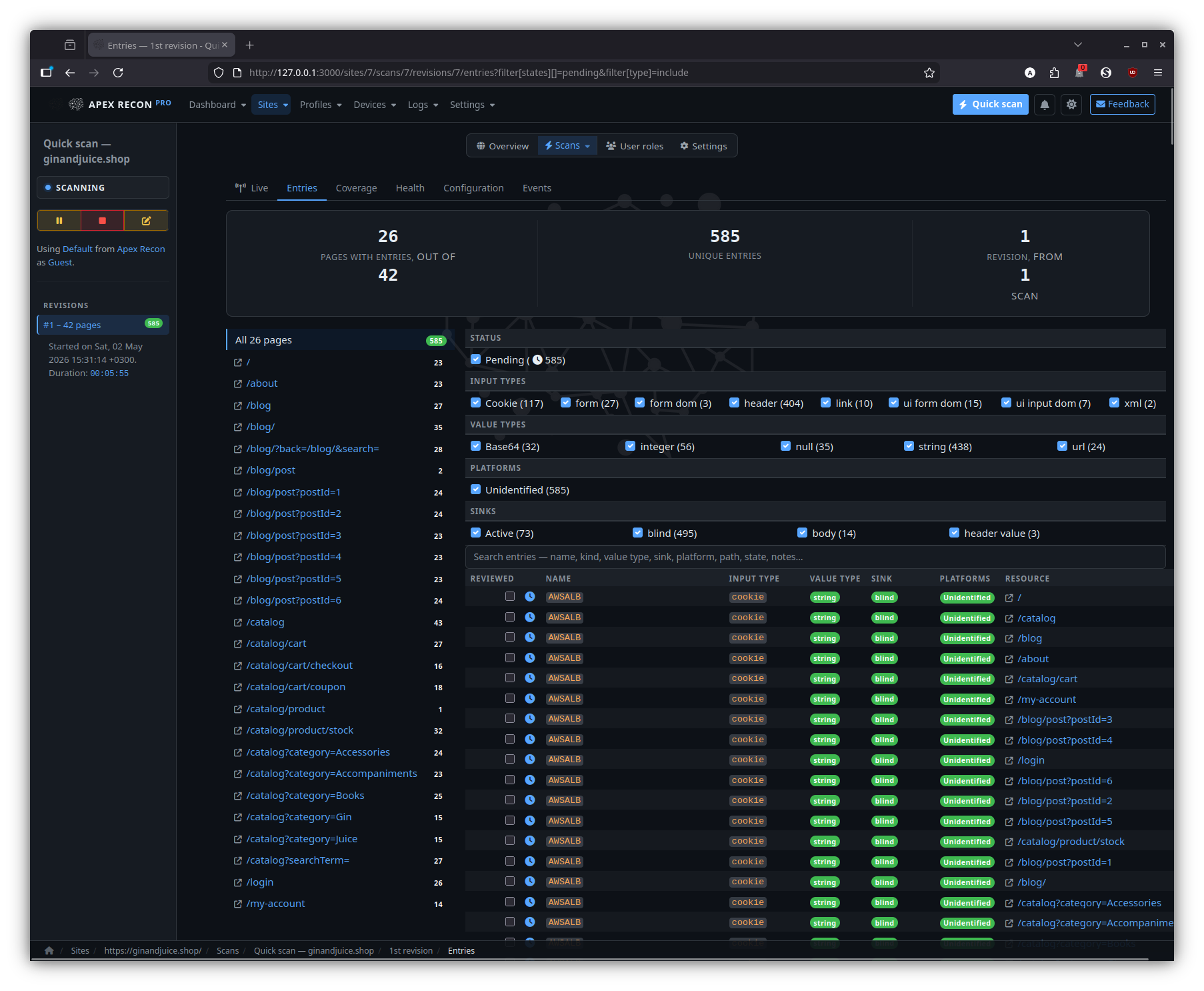
The entry listing scoped to a single revision, with state diffs against the previous revision baked in.
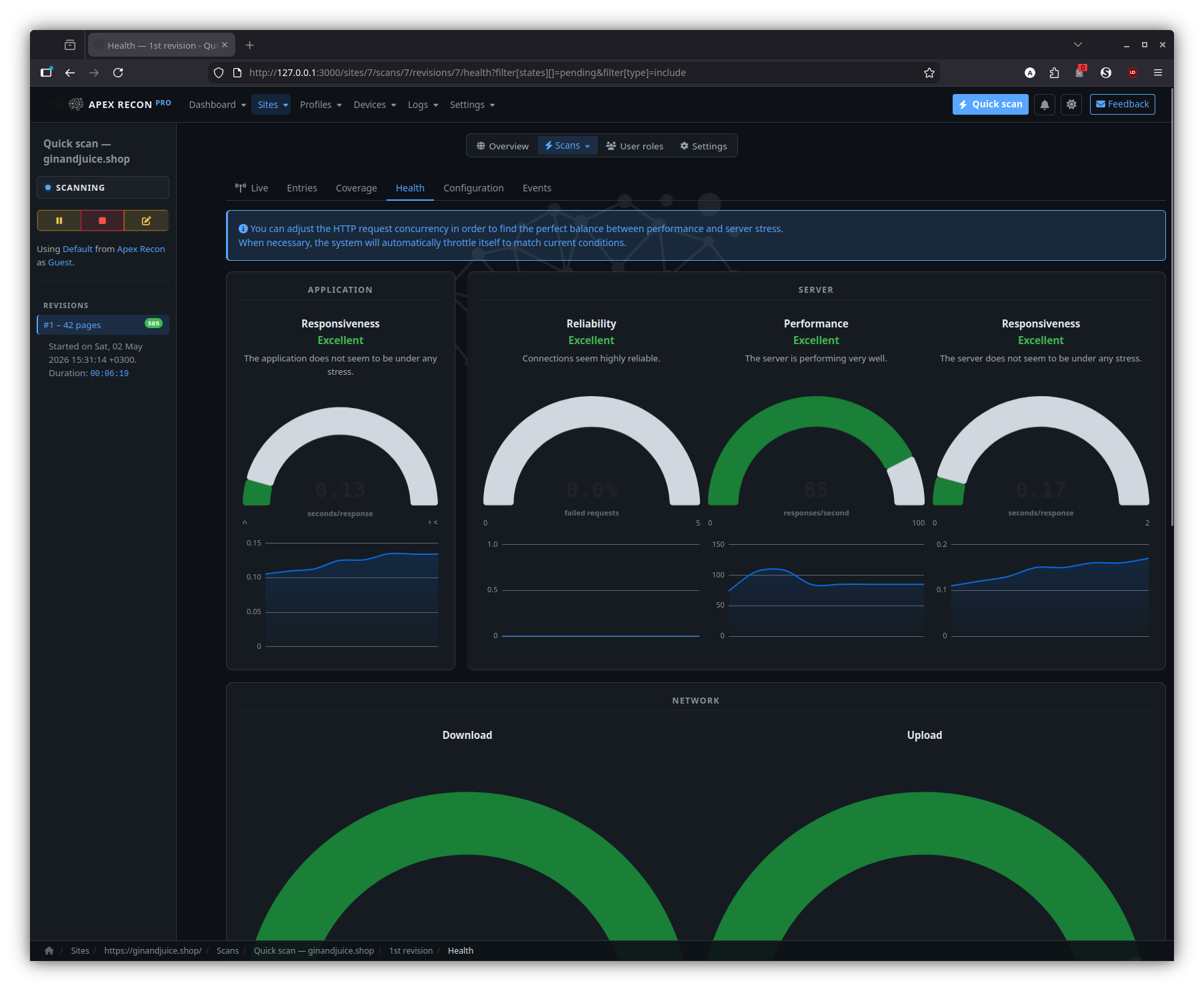
Health
Per-revision request rate, response times, browser-pool utilisation and error counts — handy when comparing two revisions of the same target.
Entry
Drill into an individual finding: page state, captured request / response, sink chain, recurring-scan state history.
Detail
State diff
For recurring scans: how this entry has changed across revisions — first-seen, fixed, regression, manual review state.
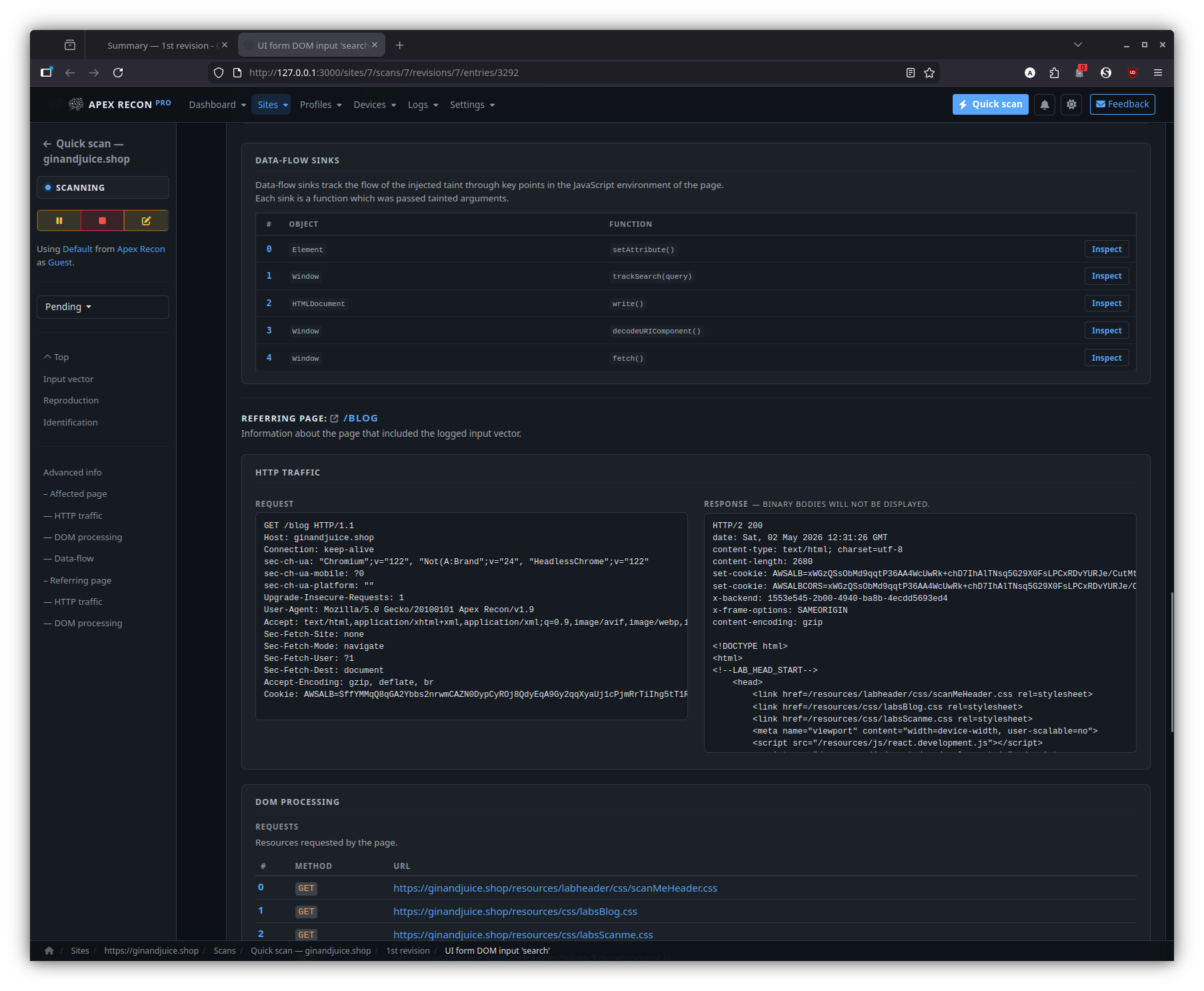
Sinks
The summary of every DOM data-flow sink reached during the entry’s capture, ordered by depth and grouped by sink kind.
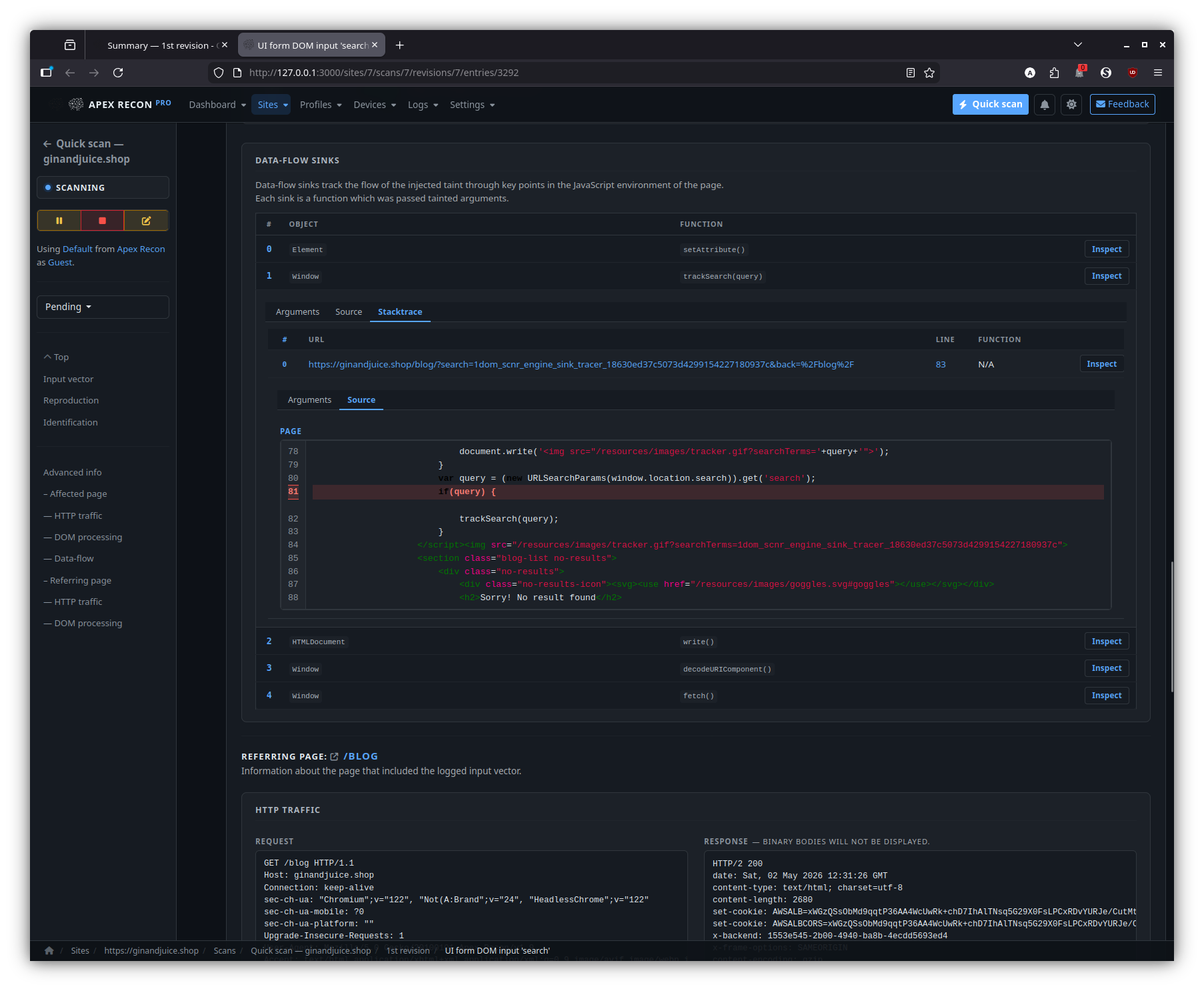
Sink inspector
Step through the source-to-sink chain hop-by-hop. Each hop expands into its captured stack frame, surrounding source and the page snapshot at the moment of capture.
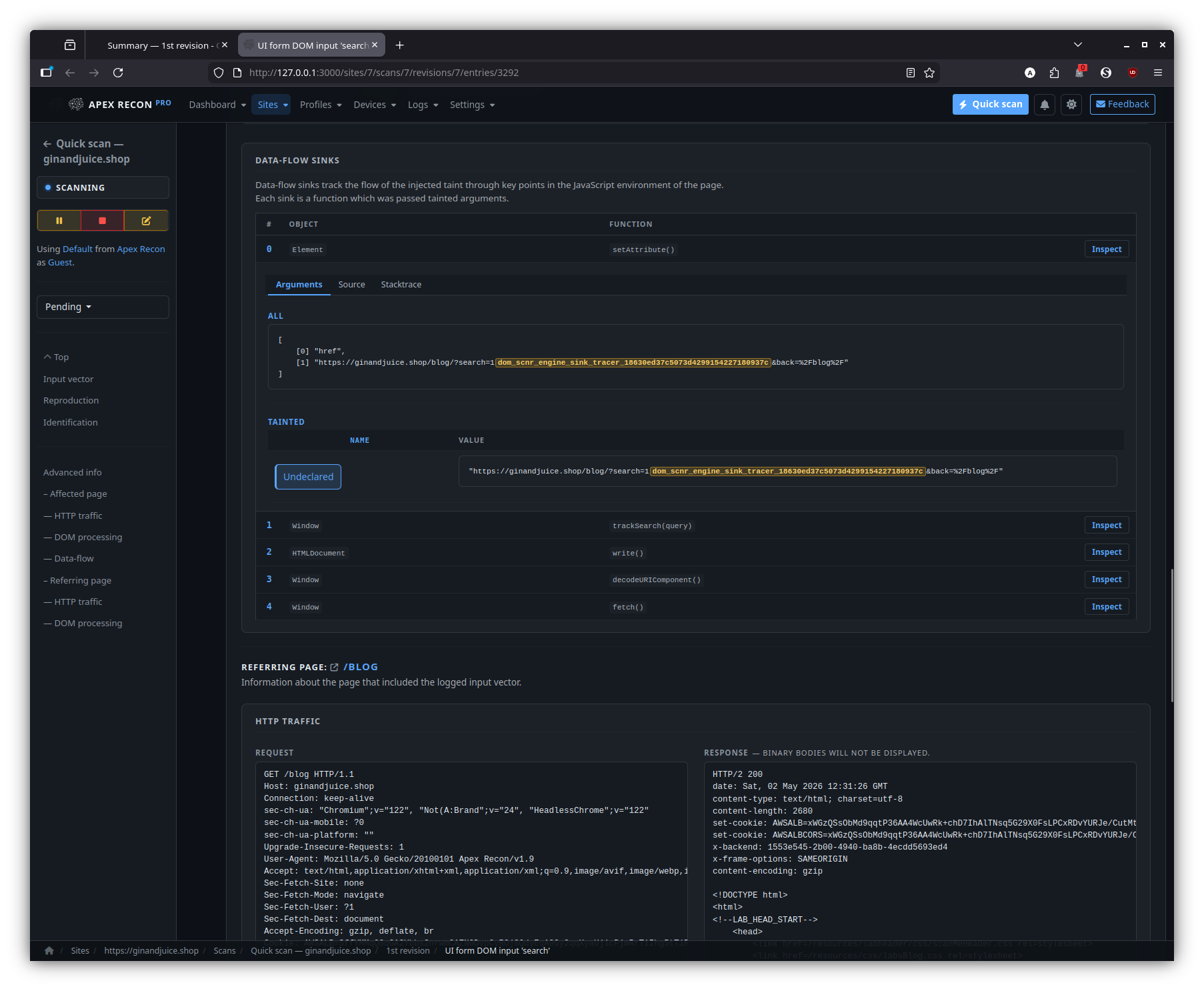
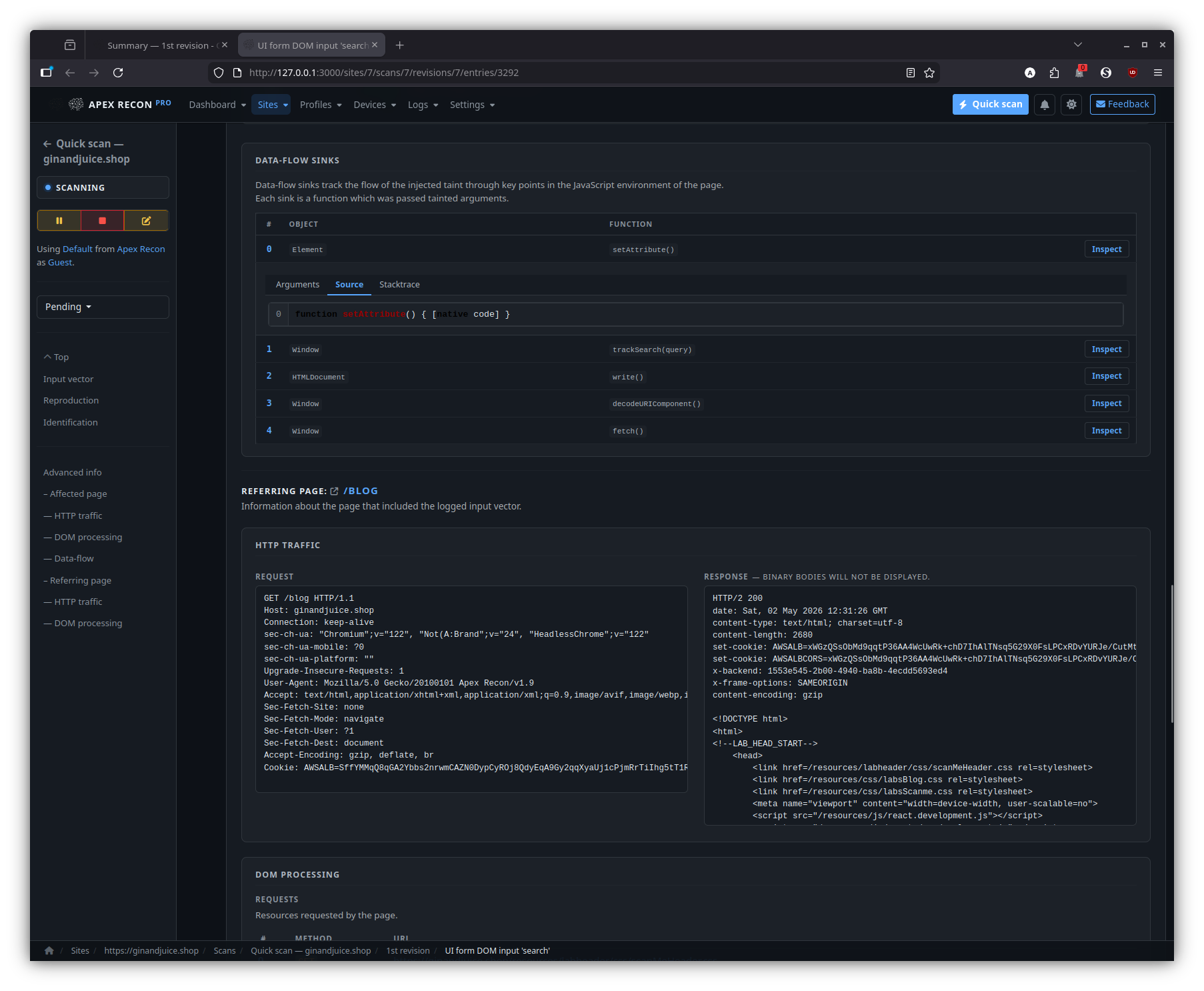
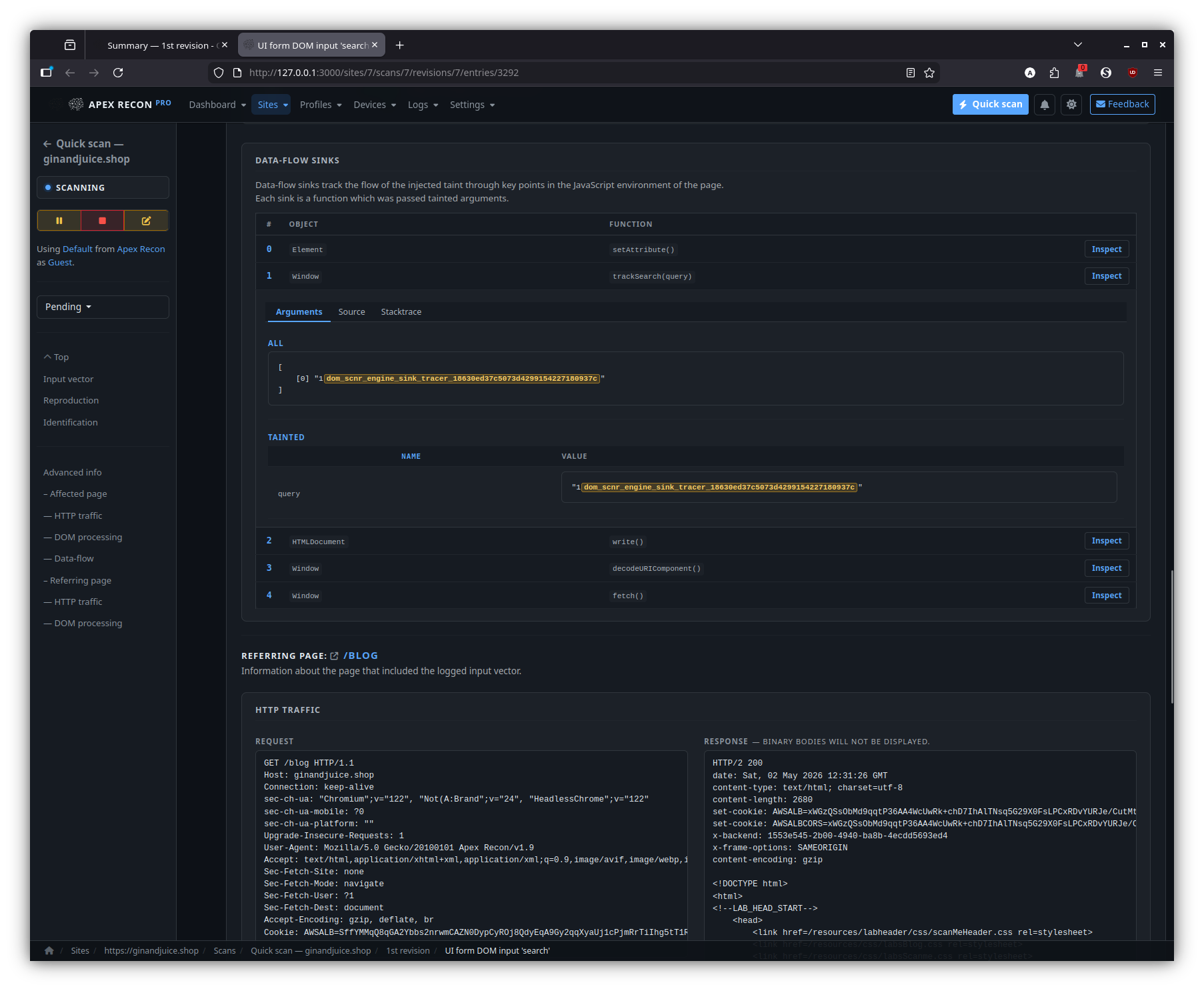
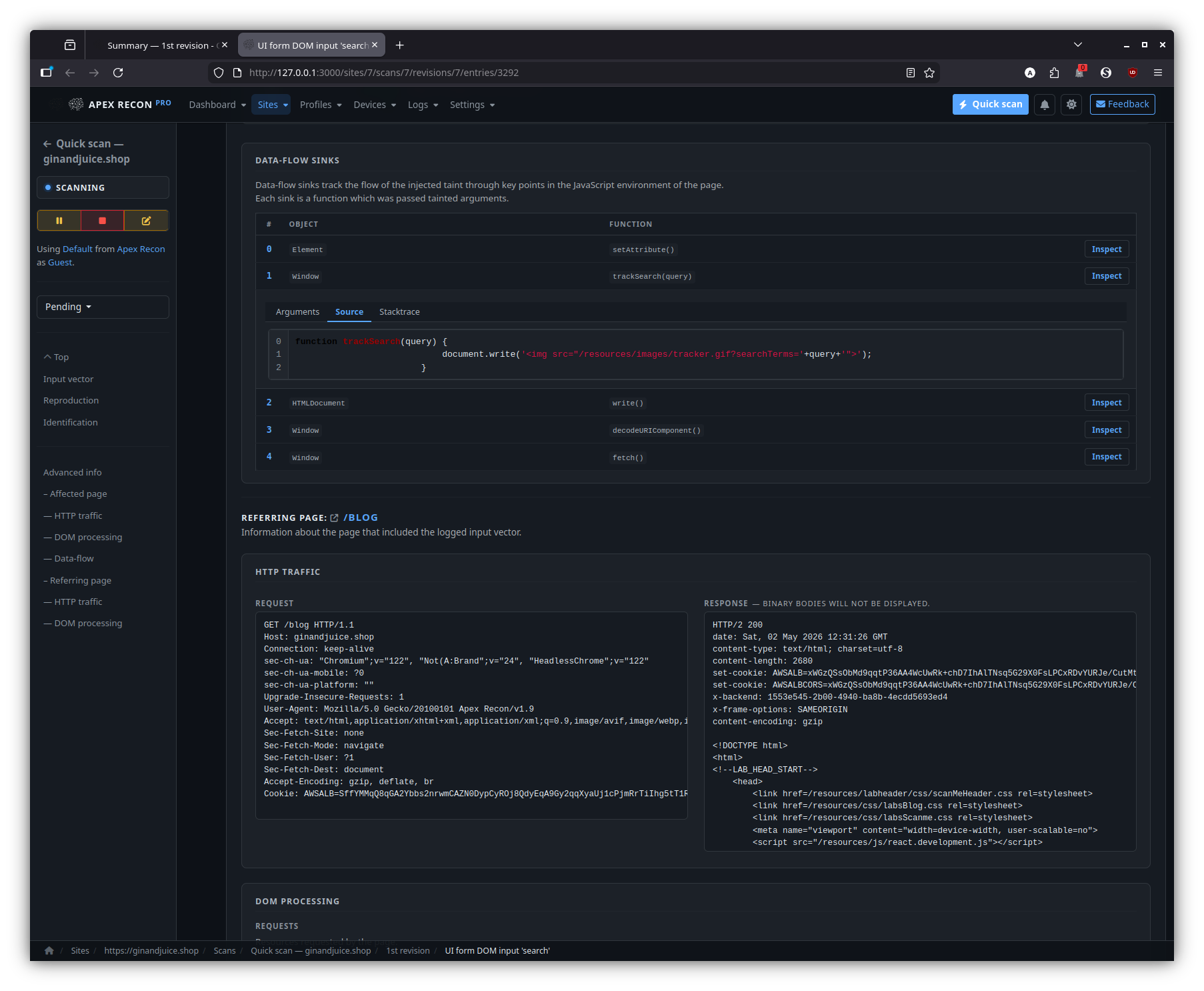
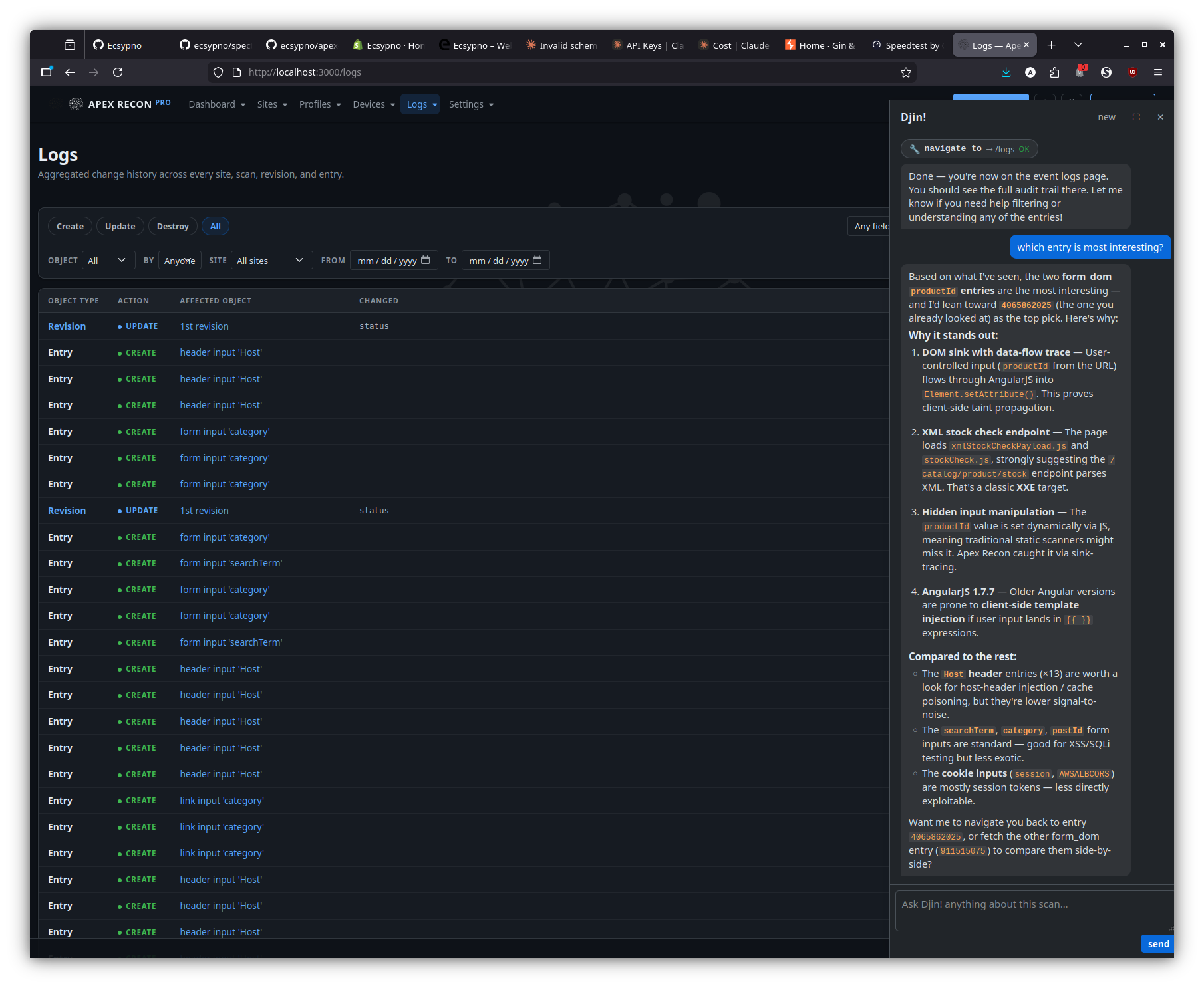
Djin! — AI assistant
Side-dock chat that streams via Action Cable, with page-aware grounding, scoped read tools and approval-gated write tools.
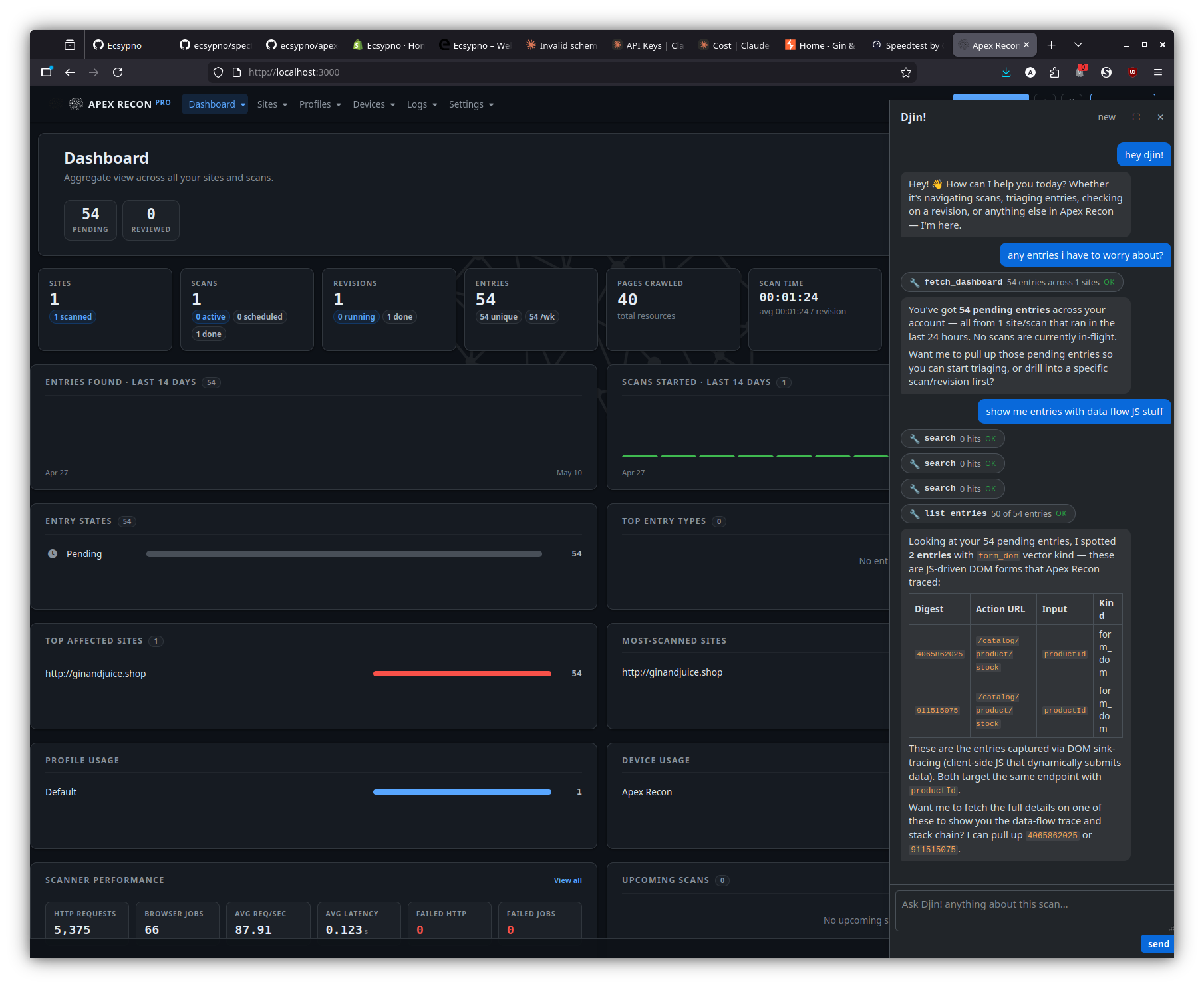
Page-aware answers — dashboard
Dock open against the dashboard; questions like “any entries I haven’t seen before?” are grounded against your sites and revisions, not a free-form recap.
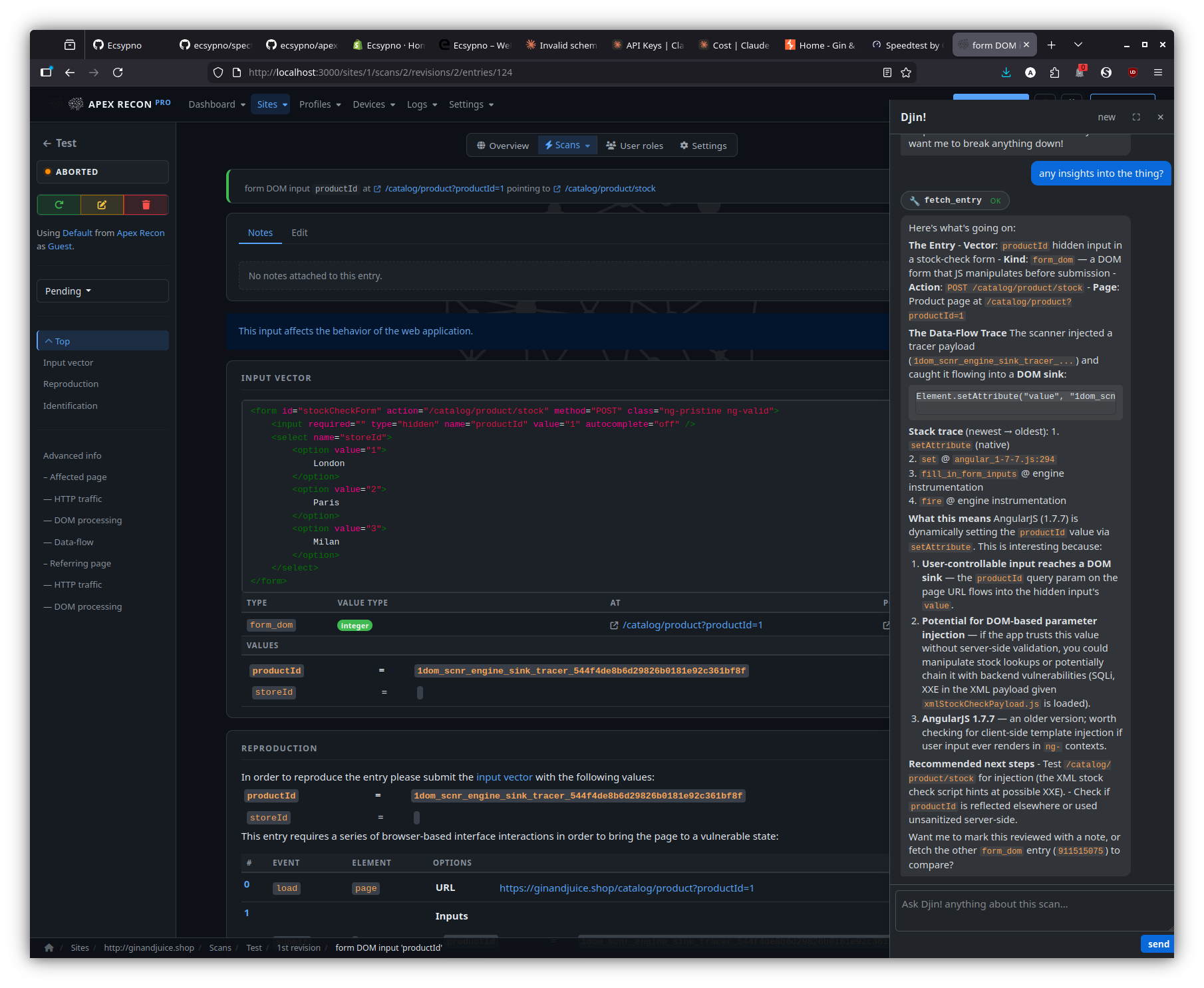
Page-aware answers — entry detail
On an entry page, the dock breaks down what makes the entry interesting — input vector, data-flow trace, recommended next step — against the captured stack frames and source.
Page-aware answers — logs
On the logs page, the dock reasons over the visible event stream to surface the most-interesting entry / regression worth a human look.